Describing images
Describe image writes descriptions of a picture: a short one, a medium one, and a long one. It’s MOSS-Image read in reverse, image to text, written by the same text encoder that reads your prompts, on your Mac like everything else.
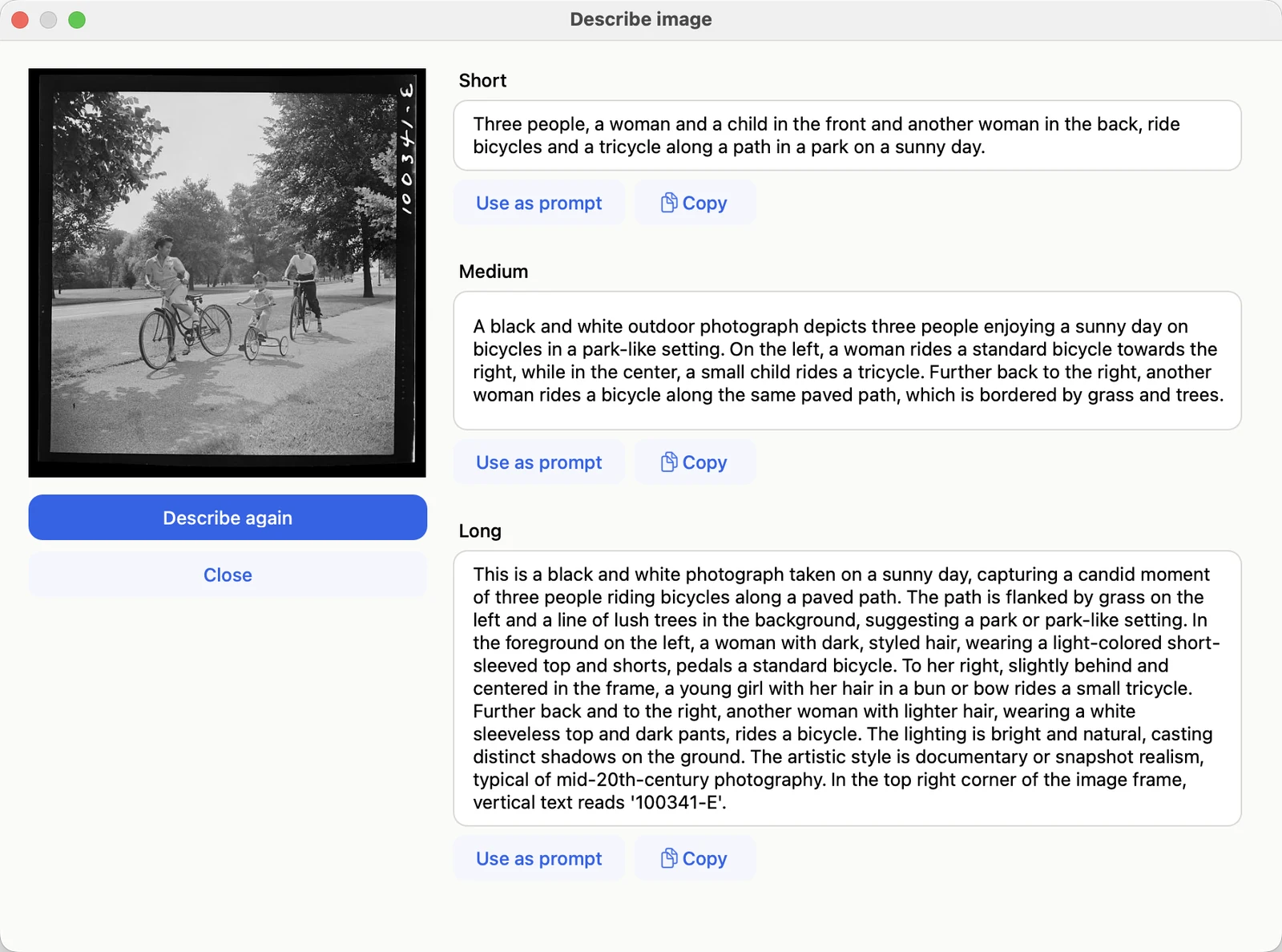
Describe image on a 1942 photograph. The long description even reads the negative number in the corner. Photograph: Marjory Collins, “Sunday cyclists in East Potomac Park, Washington, D.C.”, June–July 1942. Library of Congress, Farm Security Administration/Office of War Information collection; public domain. loc.gov/item/2017825632
Where to find it
- Describe image on any picture in your history
- Describe image under the picture in Start from image
Each description has Use as prompt, which puts it in the prompt box (⌘Z brings your own prompt back), and Copy. Describe again writes a fresh set.
What it’s good for
- A prompt for something similar: describe a picture you like, then edit the description.
- Changing a picture: with Start from image, a description of the picture as it is makes a good base for the prompt; change only the part you want different.
- Upscaling: the description of a picture is a good prompt when making it bigger.
Good to know
- The first time, Blokjutsu asks to download one more piece of the model (2 GB).
- Time: a few seconds to a minute. With Think first (in Advanced options) the model plans before writing: slower, often several minutes, and sometimes more accurate.
- Watermarks are named under the descriptions, not described in them, so a prompt made from a description doesn’t ask for one.
- Text in the picture is transcribed as written, in its own language, and the long description says where it is.
Its sibling, Enhance prompt, turns a short prompt into the same three lengths of description; see Writing prompts.